Background Timer
The timer keeps running even when you close the popup. Your session progress is saved automatically as you work.
Chrome Extension · Free · No Account Required
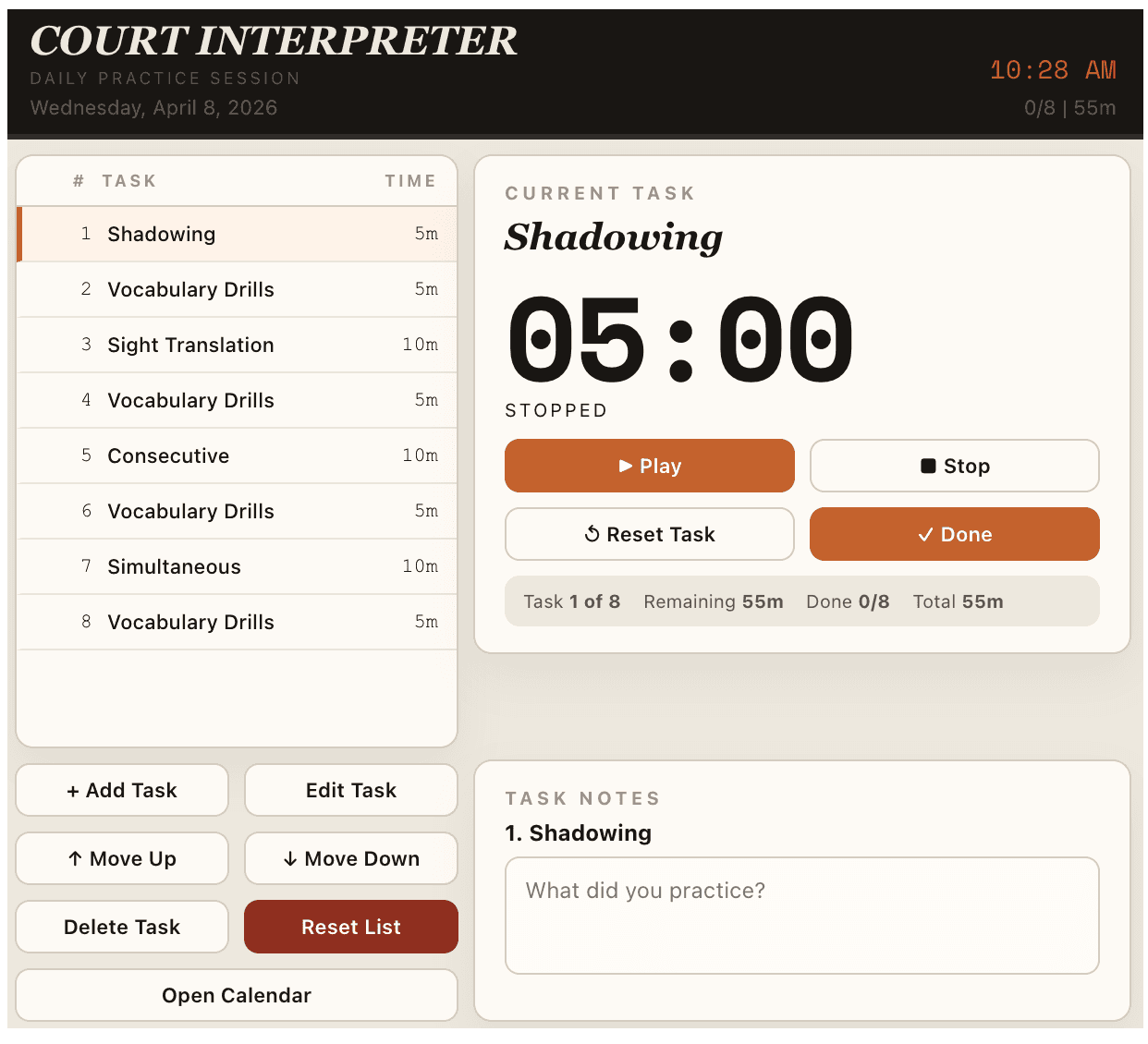
A daily practice timer for court interpreters. Build your own sequence - shadowing, sight translation, consecutive, simultaneous, vocabulary - and run it from your browser toolbar.
What it does
No accounts, no subscriptions. Just a focused practice tool that runs in your browser.
The timer keeps running even when you close the popup. Your session progress is saved automatically as you work.
Build your own practice sequences. Add, edit, reorder, or delete tasks. Your list persists between sessions.
A calendar view highlights days where you completed a full session. Build the streak. Stay consistent.
Keep a note per task - what you practiced, what stumped you, what to revisit. Stored locally on your device.
Play, Stop, and mark Done without opening the popup. Quick controls right from the Chrome toolbar.
Install and use it without signing up. Set your tasks, run your session, and pick up where you left off.
Who it's for
Preparing for the California Court Interpreter Certification Exam? Use this tool to organize daily practice blocks and stay consistent.
Stay sharp. Use it to maintain skills in all three modes - consecutive, simultaneous, and sight translation - even on busy weeks.
Taking an interpreting course? Use this alongside your coursework to reinforce daily practice habits before they become hard to break.
How it works
Court interpreting skills are built through repetition. The toolkit gets out of your way so you can focus on what matters - the practice itself.
Add the extension to Chrome. Build a task list that matches your daily routine - shadowing, vocabulary, sight translation, consecutive, simultaneous. Set durations for each.
Hit Play on the first task. The timer runs in the background - close the popup, switch tabs, do whatever. Your session keeps running while you work.
When a task is finished, mark it Done and move to the next. Add notes about what you practiced or what needs work. Everything saves automatically.
Open the calendar view to see which days you completed a full session. A green day means you showed up. Build the streak. Consistency beats intensity.
Add the extension and run your first structured practice session in just a few minutes.
Have a question or suggestion?